01Job intake
Start a job
The user uploads the documents related to the request, including PDFs and drawings, and starts a processing job.
- Documents
- Drawings
- Job
Case study / Retail display manufacturer
For a manufacturer of retail displays and supermarket shelving, quoting had become a bottleneck to pursuing more deals. The team manually reviewed documents and drawings, extracted the required data and entered information into its ERP. Werkon built a custom web application that processes each job's documents, brings the findings together for verification and generates a full PDF quotation. The client reports completing quotes the same day, compared with 3–4 business days before.
The workflow
Before the application, the team worked through incoming documents and drawings by hand, extracted the data and prepared entries for its ERP. The company identified quoting as the bottleneck to handling more opportunities. We built the new workflow around jobs: the team uploads the documents, starts processing and returns to a results workspace where it can review the work before preparing a quote.
The user uploads the documents related to the request, including PDFs and drawings, and starts a processing job.
A coordinating agent receives the job's documents and passes them to a file-type agent to determine what kind of document each one is.
The appropriate agent runs for each document according to its type. The application brings the outputs back into the job's results.
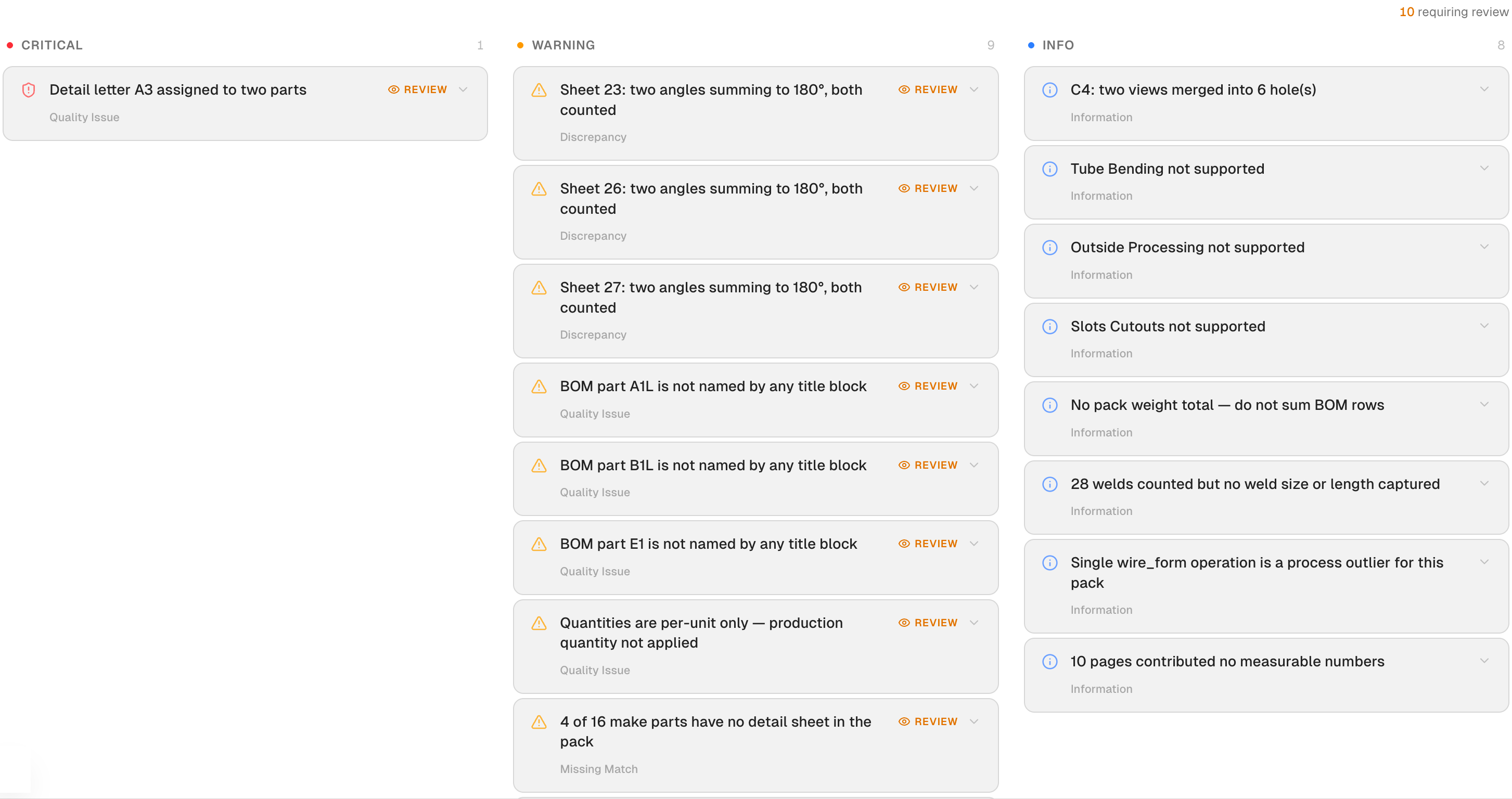
The results include a main job summary and three columns: Critical, Warning and Findings. Reviewers can also open a separate results page for each agent.
After verification, the user moves into the quotation step. The platform includes a costbook, with pricing and rules forming a central part of the delivery and testing work.
The user can generate a full PDF quotation from the application at the end of the workflow.
Inside the application
The custom web application includes Dashboard, Jobs, Costbook and Settings modules, together with audit logs. These four application views show drawing evidence, findings, team comments and manufacturing operations. Select a screenshot to inspect it. Identifying details and confidential values have been redacted.
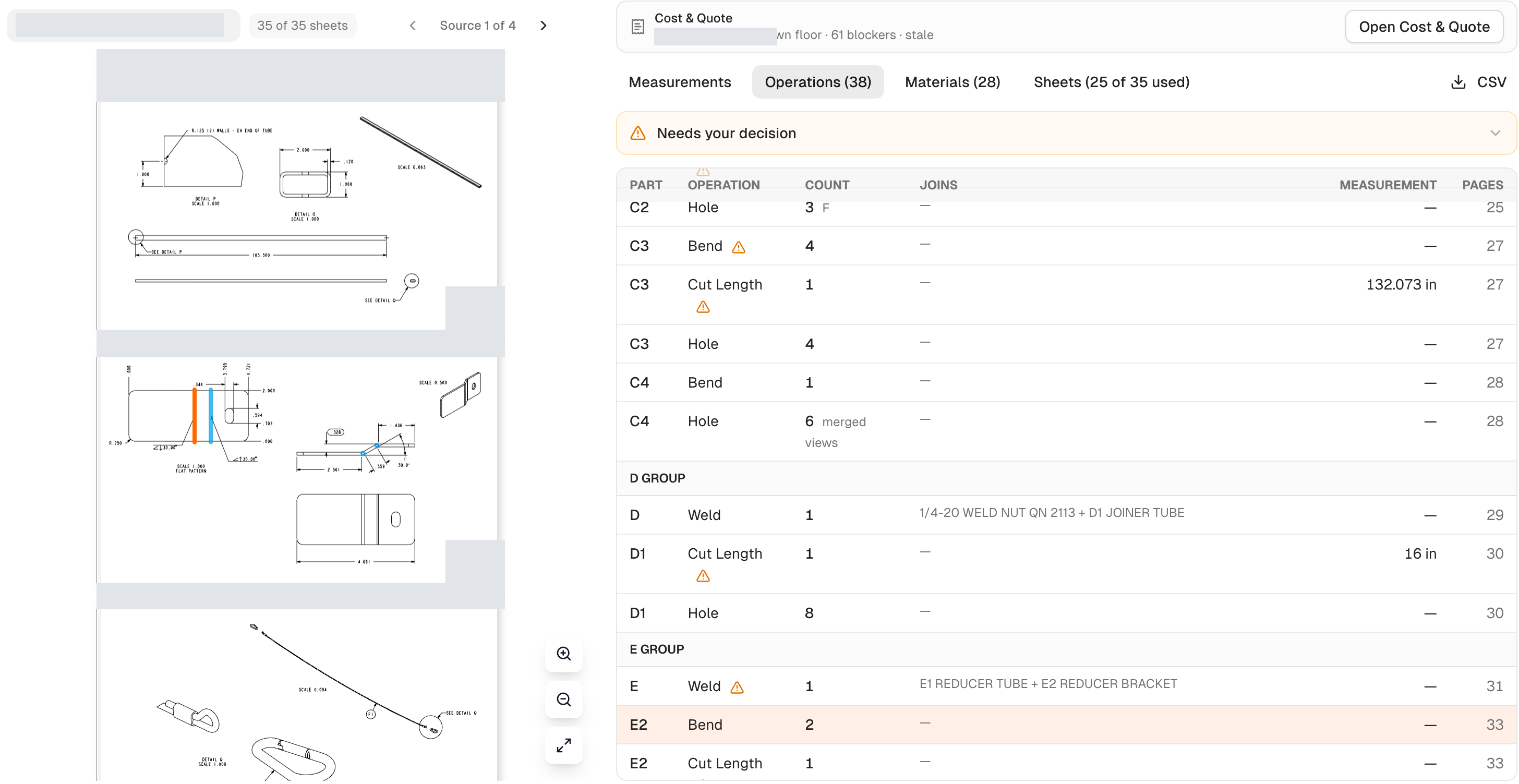
The drawing stays beside the operations table, with visible bend markers and counts for the reviewer to check.
Critical, warning and information columns keep open issues and unsupported operations visible to the reviewer.
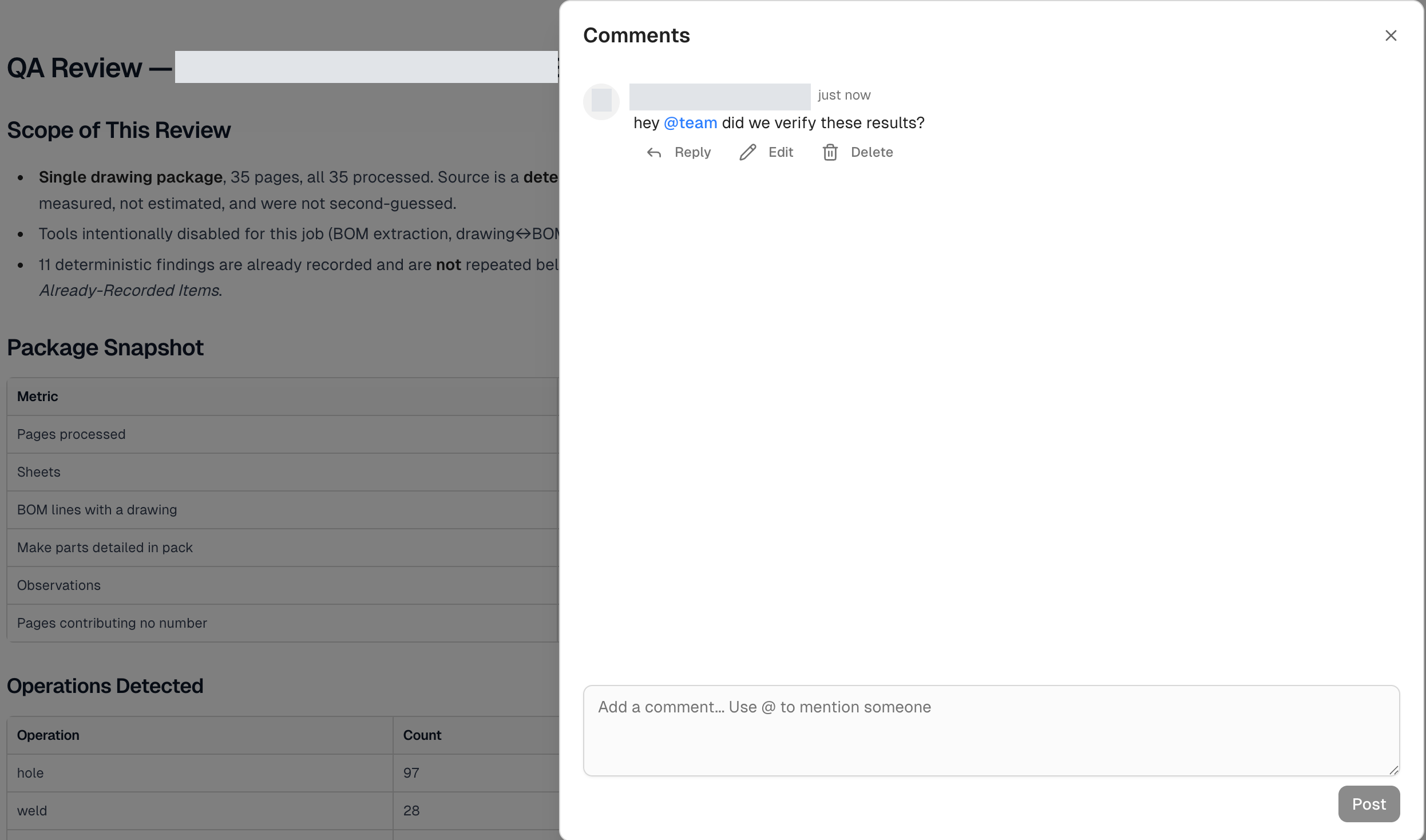
A comments panel lets the team discuss the results alongside the job summary, including questions directed to the team.
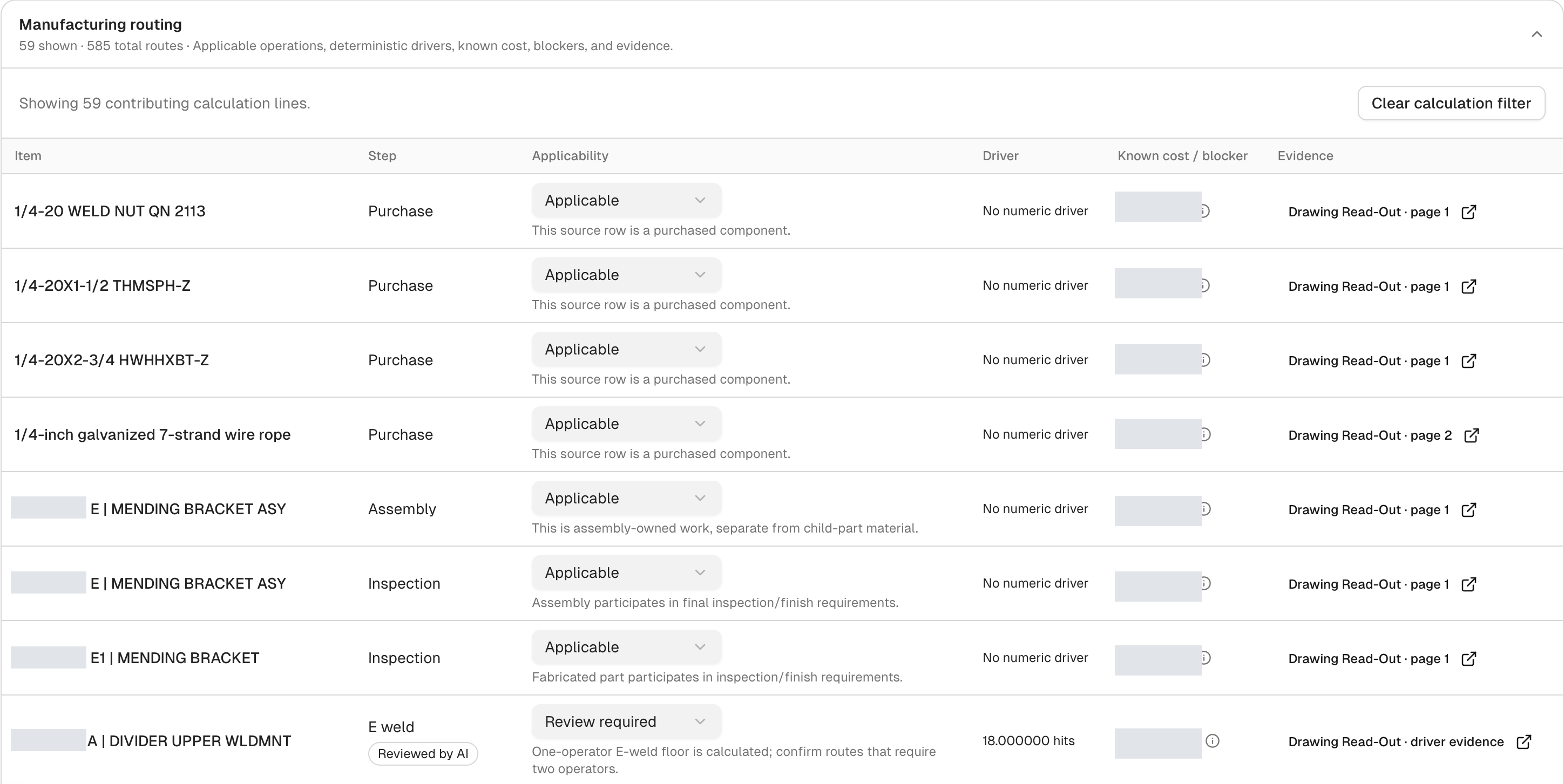
The Cost & Quote view lists manufacturing steps, applicability, drivers, cost fields and evidence references. Review-required states remain visible.
What changed
The client reports that quoting now happens the same day, compared with 3–4 business days before. This describes quotation turnaround, not a measured reduction in hands-on processing time. The figures come from Werkon's delivery account; a formal measurement window and sample size were not supplied.
A Systems Audit is the usual starting point. If the opportunity is already clear, we can move directly into a focused build.
Show Us the WorkflowStart with the free automation readiness checklistOBSERVEQUANTIFYDECIDEBUILD
Continue with the work
Stay with the operating question. The technology can wait until the work is clear.
Build AI into the document processing and review work your team already does.
Open path02Explore software and AI for manufacturing workflows.
Open path03A separate manufacturing project focused on requirements extraction and product matching.
Open path