01Job intake
Bring in the documents
The team uploads the documents and drawings associated with a job, giving the review a shared starting point.
- Documents
- Drawings
Case study / Aerospace manufacturer
An aerospace manufacturer spent significant time reading documents, checking drawings and looking up specifications to understand the work ahead. Werkon built a custom application around that preparation process. A job-based review workflow brings document findings together, while a knowledge base lets the team add specification codes and rules. The focus is understanding the requirements before work begins.
The workflow
The preparation work involved more than reading a single document. The team moved between documents, drawings and specification lookups to understand a job. The application was built around that review process, with processing results organized by job and a dedicated place for the specification codes and rules the team works with.
The team uploads the documents and drawings associated with a job, giving the review a shared starting point.
The application uses a job-based agent workflow to process the documents and bring the results together for the team to inspect.
A job summary and detailed processing results support the review of what the documents contain and what needs closer attention.
The team can add specification codes and rules to the knowledge base, giving this reference information a dedicated place in the application.
Inside the application
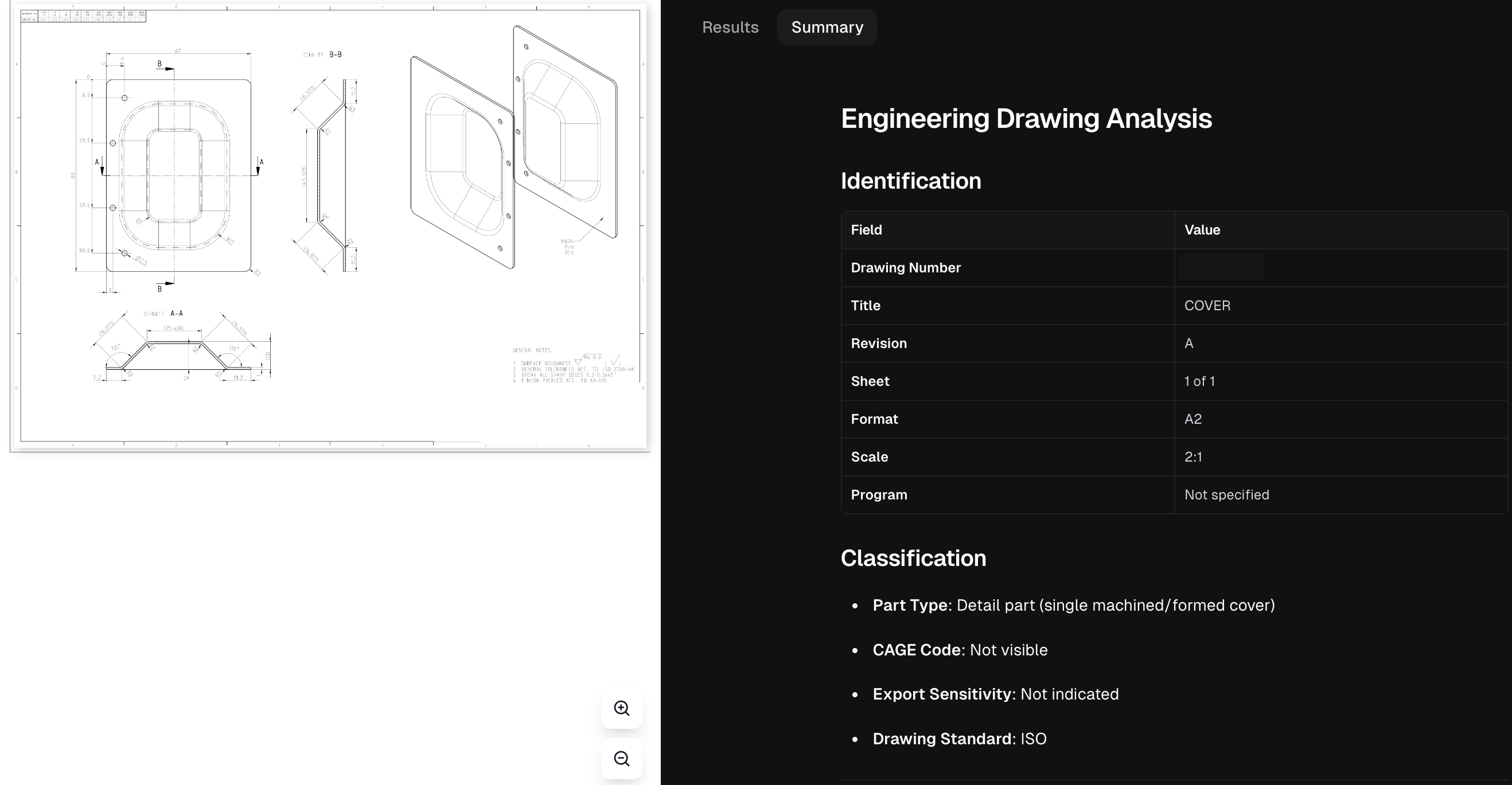
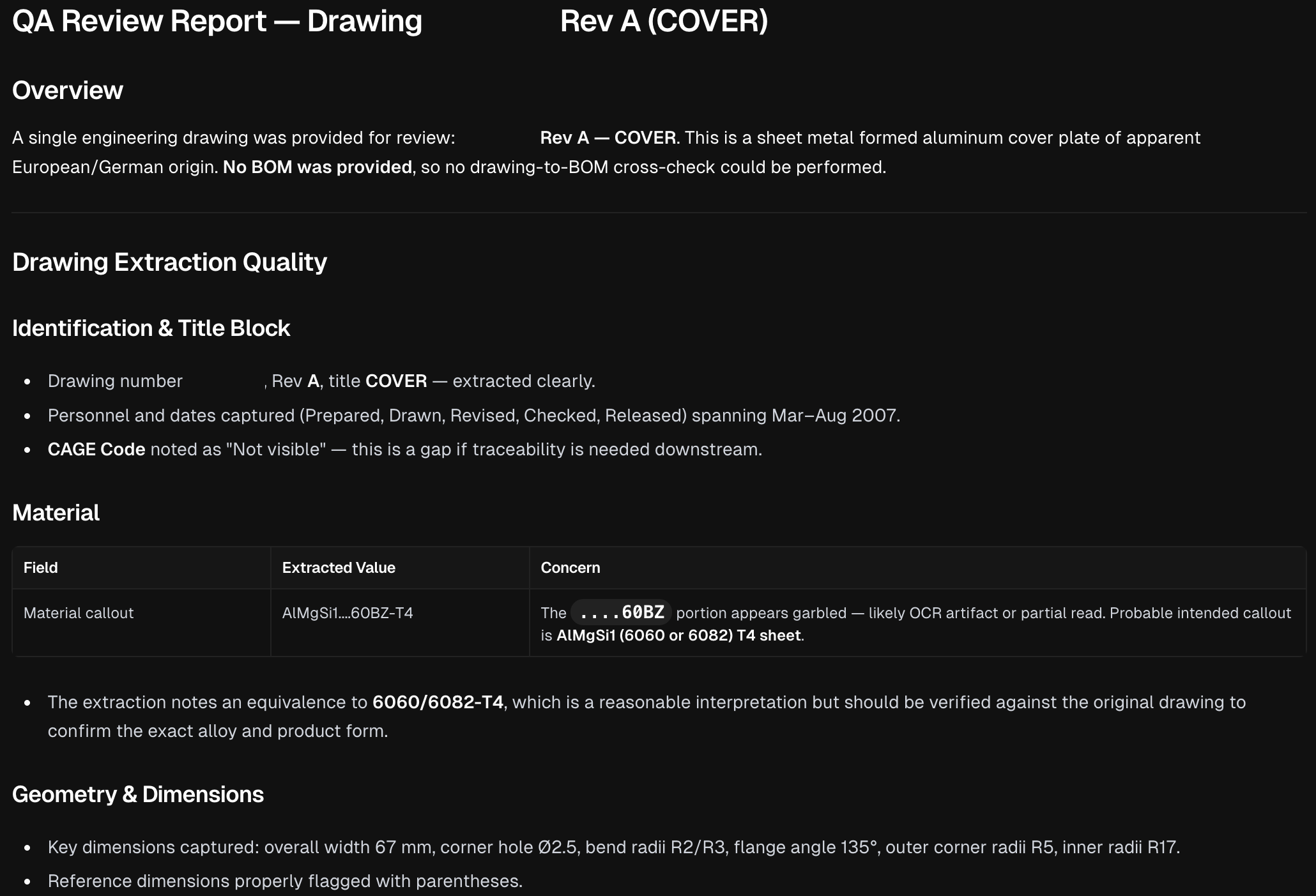
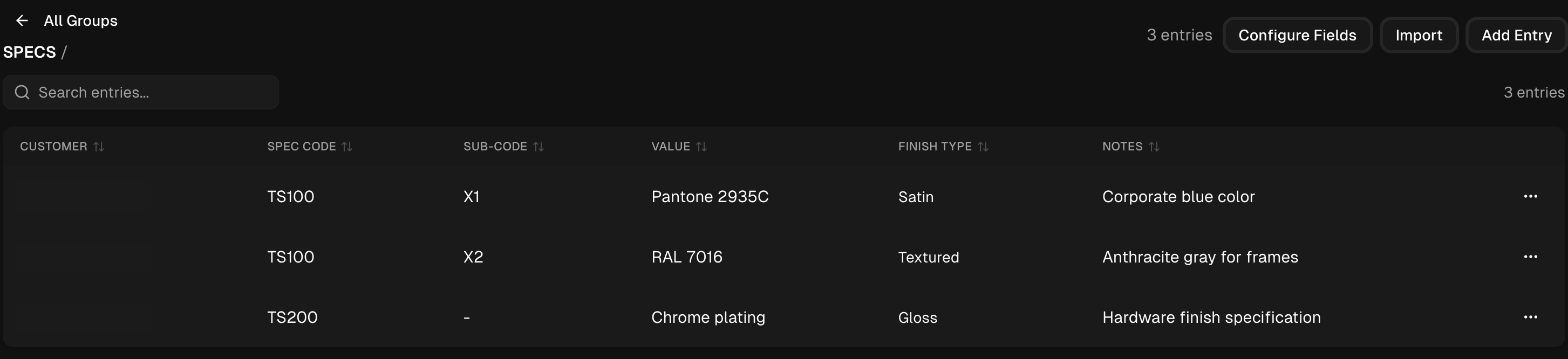
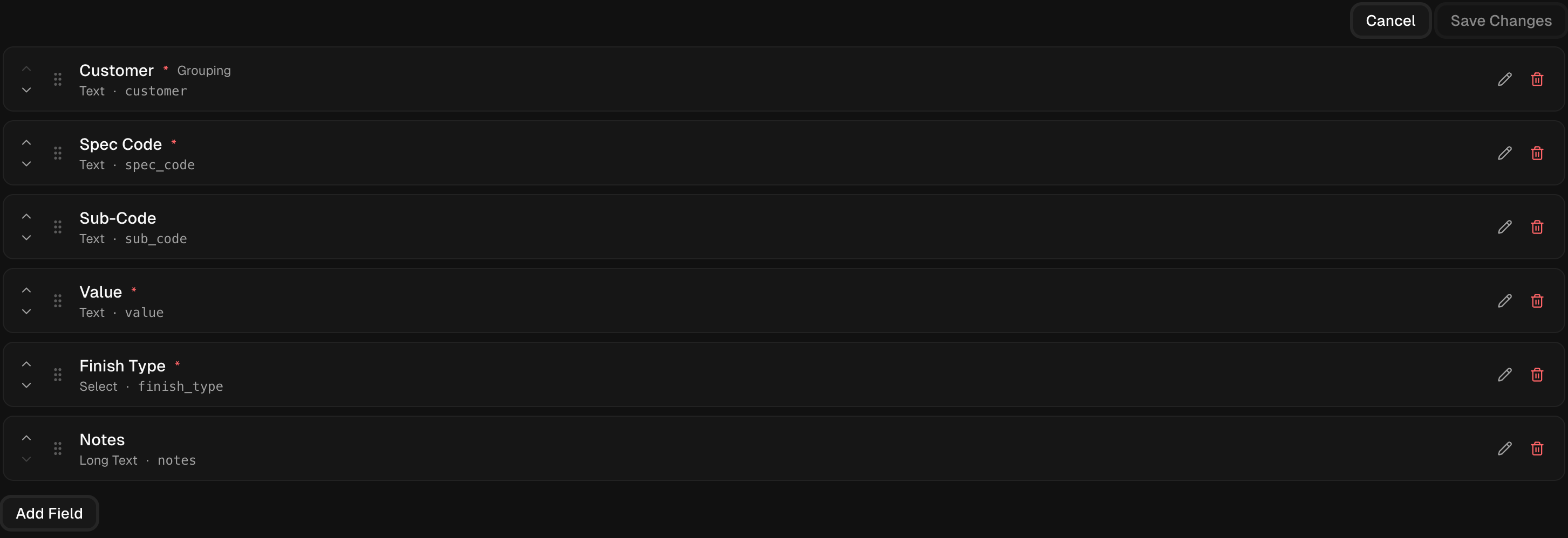
Explore the drawing-analysis workspace, the review report and the specification knowledge base. The team can maintain reference entries and configure the fields used to organize them. Select a screenshot to enlarge it. Identifying details have been removed.
The source drawing sits beside the structured analysis, so the team can compare extracted information with the document being reviewed.
The job report brings together extracted information, missing references and points that need verification against the original documents.
Specification entries organize codes, sub-codes, values and notes in a searchable table, with controls to import or add entries.
The team can configure the fields used for its reference knowledge, including required values, grouping and text or selection types.
The delivery focus
The project addresses the time spent understanding documents, drawings and specifications before work begins. The delivery account establishes the workflow and knowledge-base capability. A measured before-and-after time comparison has not been supplied.
A Systems Audit is the usual starting point. If the opportunity is already clear, we can move directly into a focused build.
Show Us the WorkflowStart with the free automation readiness checklistOBSERVEQUANTIFYDECIDEBUILD
Continue with the work
Stay with the operating question. The technology can wait until the work is clear.